# 4.3. Use the ETH port to connect and control
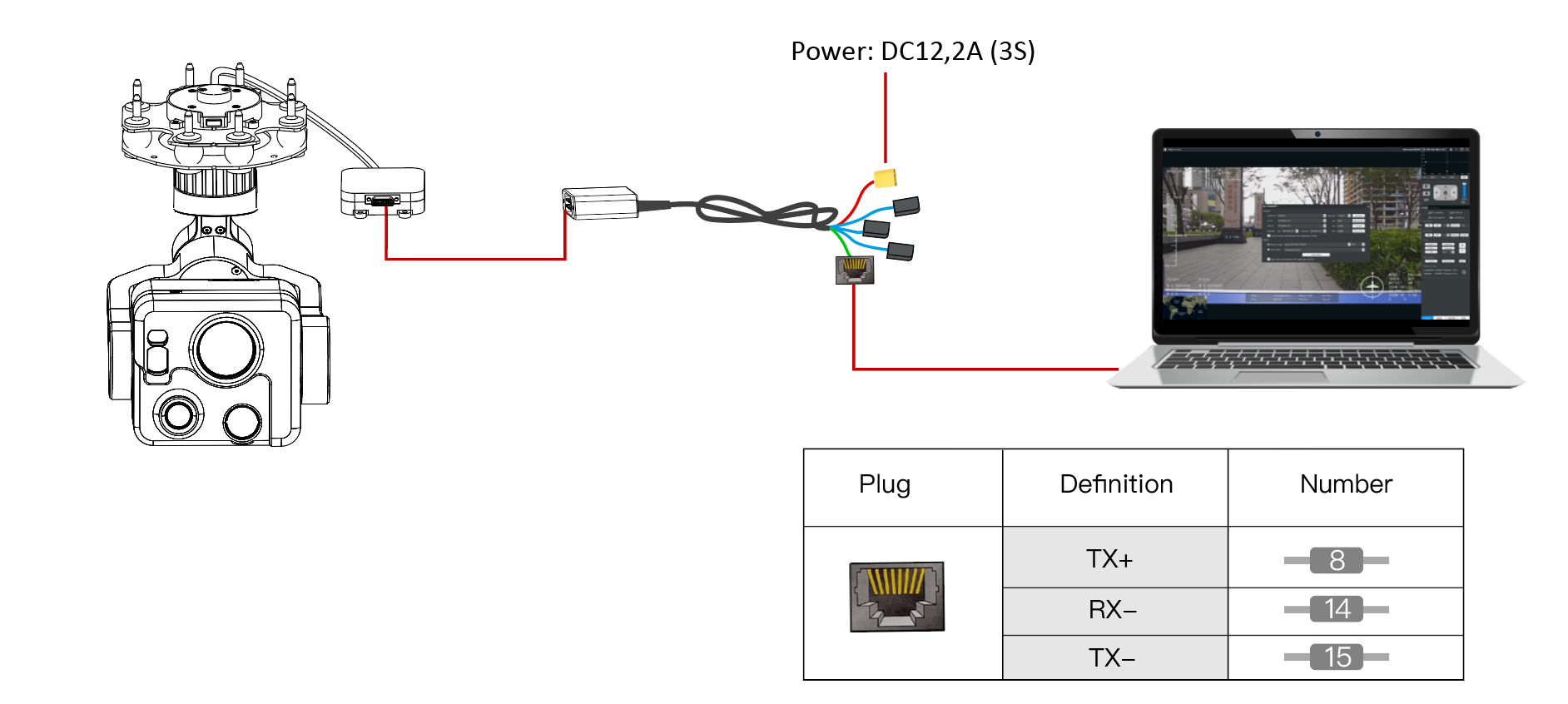
#### Scenario 1: Connect directly without using video & data Link equipment.
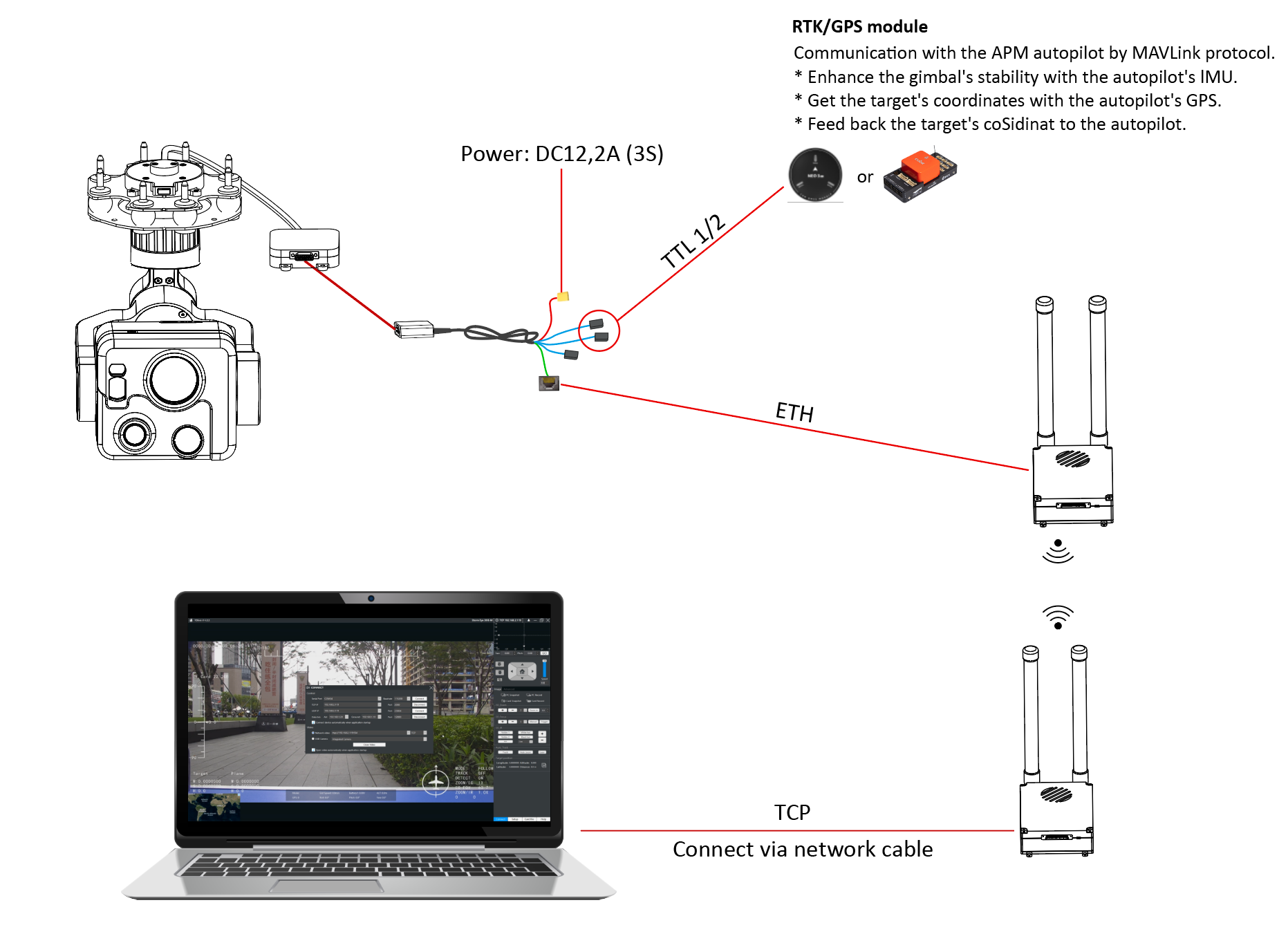
#### Scenario 2: Connect via devices such as video & data Link, and use the ETH connect on method for control.
#### After the connection is completed, perform image connection and control on YDlink.
Step 1. Enter the IP address 192.168.2.119 and port 2000.
Step 2. Click the “Connect” botton to enable gimbal control.